Creator Tools
Free tools for Lorcana content creators, built by The Uninkable Dads. No sign-up, and no big watermark across your content, just a small uninkabledads.com tucked in the bottom-right corner. Use them in your videos, streams and posts.
Featured creators
Creators we've had on the show, and more we love watching. Go and give them a follow.
 ColorislawDLC caster & Twitch streamer
 Interview · Oct 2026
Is Amethyst Steel the DLC Sleeper Deck?Official DLC caster and Twitch streamer Color brings her Purple Steel build from Hyperia City, with Demona, Merlin and the Hyperia City Express. Plus how she went from streaming to casting, and her top tips for your first DLC.
Visit channel →Twitch →Instagram →
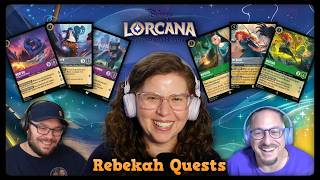
 Rebekah QuestsCreator & caster
 Interview · May 2026
How to Improve at Lorcana Without Losing the FunHow to get better at Lorcana without losing the fun. Rebekah takes us behind the scenes of the official Disney Lorcana broadcast team.
Visit channel →
 Inkborn HeroesCreators
 Interview · Apr 2026
Top Tips & InsightsThe story behind one of the biggest Lorcana channels on YouTube and Instagram, what reveal season is like from the inside, and a look ahead to Wilds Unknown.
Visit channel →
 InkkeryCreator · Chris
 Interview · Mar 2026
You Don't Need Expensive Cards to WinA masterclass in budget deckbuilding before Set Champs. You don't need the most expensive cards to win.
Visit channel →
 JDZ QuestCreator & Worlds caster
 Interview · Feb 2026
Is Lorcana Cheaper Now, and Is Winterspell a Power Drop?JDZ talks about his TCG background, casting the World Championship, and how Winterspell is shaping up.
Visit channel →
 Lorcana ManCreator & player
 Interview · May 2025
Reign of Jafar's Best Cards & Ruby AmethystFellow Disney dad Lorcana Man on how he got started, the best Reign of Jafar cards, and Ruby Amethyst.
Visit channel →
 CrawfordCanaZak Crawford · UK top player
 Interview · Oct 2025
Purple Steel MasterclassFresh off a 9th place at CCQ Cardiff, Zak gives a full Purple Steel masterclass with the key lines and matchups.
Visit channel →
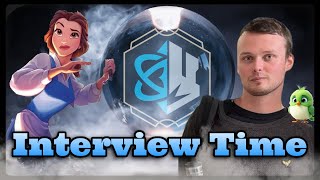
 Harlan SweeteKiWi · player & coach
 Interview · Mar 2025
How to Win in a Sapphire MetaOur first big interview. Sapphire Steel lines, handling the mirror in the Set 7 meta, winning on a budget, and his thoughts on mushroom soup.
Visit channel →
More creators we love
Using these in your content? We'd love a shout-out to
uninkabledads.com, it helps us keep building free creator tools. Got an idea for something that would help?
Give us a shout. Stay Uninkable 💜
Disney Lorcana is a trademark of Disney and is published by Ravensburger. The Uninkable Dads is an independent fan channel and isn't connected to Disney or Ravensburger.


